Product designer
The team has a product direction but no shared visual language for a review.
Generate several scene directions that make lighting, material, setting, and mood easier to discuss before detailed production work begins.
krea for imagesPractical creative use
Use krea 2 examples as starting points for briefs that need direction, variation, or a clearer visual reference. The goal is not a finished claim-ready asset; it is a useful draft you can inspect, revise, and route into your own process.
Related paths
These nearby guides help you move from a first concept to a more deliberate image workflow without treating one example as a finished production asset.
Use-case map
The strongest krea examples begin with a bottleneck: an unclear direction, too few variations, or a reference that is difficult to explain to a team.
The team has a product direction but no shared visual language for a review.
Generate several scene directions that make lighting, material, setting, and mood easier to discuss before detailed production work begins.
krea for imagesA campaign idea is clear in words but difficult to communicate in a presentation.
Turn the brief into a compact set of visual references that help stakeholders react to a direction instead of debating abstract language.
krea examples freeA client needs to compare atmosphere and material choices before a polished visualization exists.
Use controlled variations to show how the same spatial idea changes across daylight, material, landscaping, or presentation mood.
krea architectsA content calendar needs more visual options than the current reference folder provides.
Create a first pass of campaign, editorial, or social directions that can be selected, annotated, and rebuilt with approved assets.
krea 2 image editWorking method
Treat each output as a draft with a job to do. A focused prompt, a small comparison set, and a review pass produce more useful examples than an unfocused batch.
Name the subject, intended audience, visual mood, setting, and the decision the image should help someone make. Avoid vague requests such as “make it better.”
Keep the core idea stable while changing one meaningful variable at a time, such as camera angle, lighting, material, composition, or environment.
Select the strongest direction, record what needs correction, and send the draft into the appropriate editing, design, approval, or production workflow.
Responsible use
Useful examples still need human review. The route can support ideation and communication, but it does not remove responsibility for rights, accuracy, safety, or approval.
An output that resembles a person, brand, artwork, or protected design may still require permission or a rights review before publication.
WorkaroundUse approved references, document the source of inputs, and ask the relevant rights holder or legal reviewer when the use is commercial.
A convincing product scene does not prove that a product has a particular feature, material, performance level, or certification.
WorkaroundCompare every visible claim with the product record and replace invented details before the image reaches a customer-facing channel.
Early examples may contain inconsistent details, awkward text, distorted objects, or styling that does not match the broader campaign system.
WorkaroundUse the output as a reference or draft, then apply a deliberate review and revision pass with the responsible creative team.
A prompt may produce an unexpected subject, association, gesture, or cultural reading that is unsuitable for the intended audience.
WorkaroundInspect the whole frame, test sensitive concepts with extra care, and keep a human approval step before distribution.
Reference pair
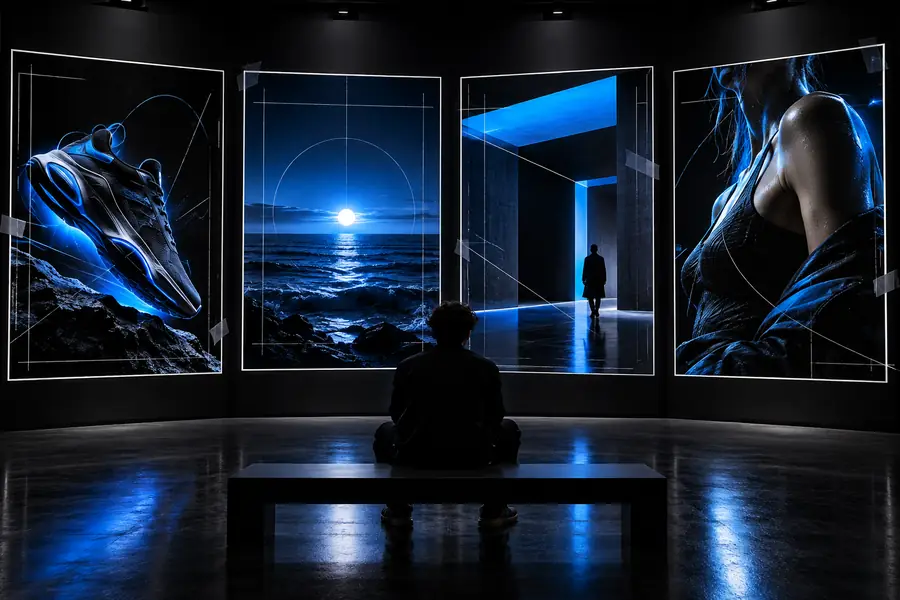
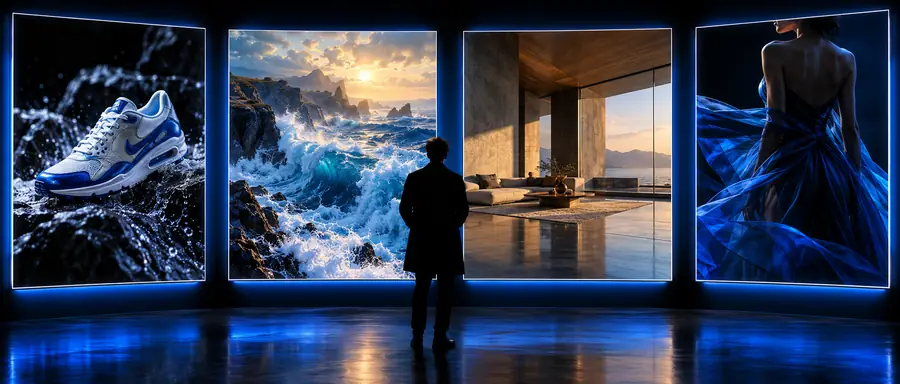
The pair below illustrates the role of a reference image: make the intended direction easier to see, then decide what must be corrected or rebuilt before delivery.
Illustrative comparison only; review the actual output for detail, rights, and brand fit.
Next draft
A strong first image is valuable because it gives the team something specific to discuss. Bring a clear brief, compare a few meaningful variations, and keep the approval and compliance checks visible as the concept moves forward.
Open the Krea workspaceQuestions answered
They are useful as visual starting points for product concepts, campaign directions, editorial references, and other briefs that need a concrete image to discuss. They work best when the output is treated as a draft for review rather than as automatically approved final artwork.
Describe the subject, setting, audience, visual mood, and the decision the image should support. Then specify the most important details, such as material, lighting, camera relationship, or composition, instead of adding a long list of unrelated adjectives.
That depends on your review process, the inputs used, and the rights and accuracy requirements for the campaign. Check the image for unintended details, protected references, factual claims, and brand fit before publishing or handing it to a customer.
Identify the single issue that matters most, such as composition, material, lighting, or an unwanted object, and revise around that issue. Keeping the brief focused usually makes the next comparison more useful than changing every detail at once.